
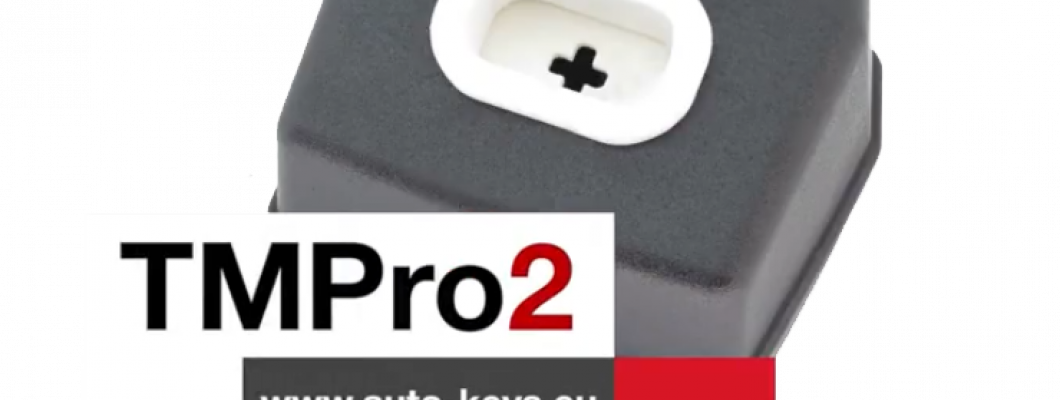
What is TMPro 2
Transponder Maker Pro (also known as TMPro keymaker or TMPro2 keymaker) are softwares for transponder key making,transponder key programming,transponder key copying and PIN code/security code calculating.Protection programmer is small box, which have to be connected to free PC USB port.Software user interface supports 10 languages - Bulgarian,English,French,Portuguese, Polish, Hungarian, Spanish, Serbian, Italian and Czech.They are simply to use and offer wide range of softwares that supports various immoboxes and keys. All softwares are auto-updateable to latest version available on server.At start of software it checks if there is new version released.If released,software automatically updates itselfs,this way you always run latest versions. TMPro2 softwares are designed to help in locksmith`s job.
TMPro 2 is a module based device.Which let you buy the base hardware and then add only the modules you need.
The Basic TMPro kit contains:
- TMPro programmer
- Cables and adaptors for programing microcontrolers and memmories
- USB cable type A to B
- Software for instalation on computer
- Orange5 case
How to use it?
- Connect TMPro to the adapter using via the cable
- Connect TMPro to the computer using the USB cable
How to install the software for TMPro 2?
Follow the steps:
- Disable the driver signature for windows.
- Go to the start menu , in the search box type CMD , right click on Command Promnt and select Run as administrator.Click Yes if Windows ask for permition.
- Inside the opened window you need to type the following 3 lines,and press Enter after every single line:
- bcdedit /set testsigning on
- bcdedit -set loadoptions DDISABLE_INTEGRITY_CHECKS
- bcdedit.exe - set TESTSIGNING ON
- Click here to download the drivers from our website.
- Click here to download the software from our website.
- In your Device Manager tab will appear Other devices, click it to expand and you should see the "Orange5".
- Open My Computer , open drive C: , make a new folder called TMpro2.Extract the downloaded archives in that folder(C:\TMpro2).
- Open TMPro2software folder, and right click on the TMPro2.exe file. Select send to Desktop to create a shortcut for the software on your Desktop.
- Go to your Desktop, right click on My Computer and select Manage.
- From the opened window click on Device Manager.
- Connect your TMPro2 with your computer with the USB cable.
- On the window(Computer Management), choose Other devices and your Transponder Maker Pro should appear. If it does not appear then try to plug the cable out and in again.
- Press the right button on your mouse and choose Update Driver Software.
- Click Browse my computer for driver software.
- Click Let me pick from a list of device drivers, press Next.
- Click on Have Disk, click Browse, go to My Computer, click on Lockal Disk(C:), click on TMpro2 folder.
- Open the TMPro2Drivers folder, choose the ftdibus file and click Open
- On the window Install From Disk press Ok, press Next.
- Click Install this driver anyway. The instalation may take a while so please be patient.
- When the instalation is over, click Close
TMPro2 is now ready for work!
If you are trying to run TMPro software BEFORE installing of USB drivers, you will face this error: “Program cannot start because FTD2XX.dll is missing”.
If in left down corner of software you see message “Hardware NOT found“, this means that something with driver instalation is wrong.
Restart computer and try again with installation.You can check if hardware installation is good – in Device Manager – USB devices – you have to find “Transponder Maker Pro 2“.
NOTE about automatic updates:
- If you are running version of main software 2.352 and older, automatic software update will not work.
- To enable automatic updates: at first you must DELETE this old version of software.
- Then automatic software update will work again and you will receive updates.
NOTE for owners of older hardware without round 8-pin connector:
If you wish to upgrade your hardware for to use full functionality, you must buy upgrade set.
How to upgrade your TMPro with the new and improved interface:
- If you dont have TMPro renew kit go to : auto-keys.eu. You will need TMPro renew kit, Soldering and Screwdrivers.
- Disassemble your old TMPro:
- Remove the 2 body holder screws. They are on the back of the TMPro.
- With hands remove the port. Do not use too much force.Be carefull not to damage the wire connector inside.
- Desolder the wire connector.
Use the soldering iron to desolder the wire connector. - Separate the PCB from the board.
Remove the screws using screwdriver. - Prepare the new TMPro.
Disassemble your new TMPro interface into 3 components. - Attach the PCB to the board using screwdriver.
- Place the Connnector into its socket and fix it with the nut.
- Place the botton cover and use a screwdriver to fix it in possition.
- Use soldering iron to solder the coil with the wire connector.
- Possition the coil into the socket and press down with your hands untill its fixed into place.
For more videos about TMPro 2 check our youtube channel here
1677 Comment(s)
다솜 전국 출장안마 출장마사지 홈타이 24시 프리미엄 케어
출장마사지, 출장안마, 테라피, 출장만남, 출장스웨디시 서비스를 제공하는 브랜드입니다
Thank you for your blog post.Really thank you! Great.
편안한 휴식과 균형 있는 라이프스타일을 위해 프리미엄 출장마사지, 출장안마, 테라피, 출장만남, 출장스웨디시 서비스를 제공하는 브랜드입니다
Thank you for your blog post.Really thank you! Great.
편안한상태에서천천히관리받고싶었는데원하는방식에맞춰줘서좋았고마무리도깔끔했습니다
평소자세로인해뻐근했던부위를잘다뤄주셔서좋았고마친후에는몸이한층유연해진듯했습니다
The section discussing the lotus app is presented in a clean and accessible style. Visitors can understand the terminology without needing to work through lengthy or complicated explanations.
One thing I liked about this discussion is how lotus blue 365 is mentioned naturally. The surrounding information gives readers useful context without making the explanation feel complicated.
At first glance, louts may look like an unfamiliar search phrase. The surrounding explanation makes it easier to understand what readers should consider when exploring related information.
The discussion involving lotusbets is presented in a balanced way. Nothing feels excessively repetitive, and the information remains easy to scan for someone exploring the subject.
Anyone investigating Reddy Anna Club may have questions about its website and account features. Practical information presented in simple language would make the subject easier to follow.
Lotus 375 is not a phrase everyone will immediately recognize, so the additional explanation is helpful. The content keeps the terminology visible without making the discussion feel repetitive.
One thing that stood out about lotus blue 365 is how the term is introduced without making the discussion feel crowded. The surrounding information gives readers useful context while remaining easygoing.
This post provides useful information for anyone searching for reddy anna book. I like the straightforward writing style and the way the main topic is explained.
This page serves as a useful reference for readers searching for reddy anna book details.
The fairstake365 app keyword may be relevant to users searching for mobile gaming options. Smartphone applications can provide convenient access to different platform sections. However, users should verify the application source before installation. Checking permissions and privacy details can help users make a more informed choice.
Great post! I was searching for information about lotus365 blue login password and found this article very easy to follow. Thanks for sharing such clear and useful insights.
Great post! I was searching for information about lotus365 blue login password and found this article very easy to follow. Thanks for sharing such clear and useful insights.
The discussion around new lotus 365 is presented very clearly. It's a helpful resource for anyone looking to understand the topic better.
structured clearly and provides a convenient introduction to the topic.
The information about lotusodds was a useful part of the article. I appreciate the simple wording and the effort to keep the discussion focused.
정말 좋은 글이네요. 우연히 당신의 블로그를 발견했는데, 글들을 읽는 동안 정말 즐거웠습니다.
Leave a Comment